
Imagine running an AI agent on your own computer, without paying for expensive APIs, without sending your data to the cloud, and without a 70-billion-parameter model.
Can a model with just 1.7 billion parameters actually behave like an agent? Can it calculate numbers, check the weather, manage files, save notes and complete several tasks on its own?
That’s the question I set out to test with LFM3, the small model from Liquid AI. I built a complete local agent around it using Ollama, Node.js and React, and then gave it real work. The full walkthrough is on YouTube, and this post covers the same ground in written form.
🎥 Watch the Video
👉 Watch on YouTube: Can a 1.7B Model Be an AI Agent?
The Four Parts
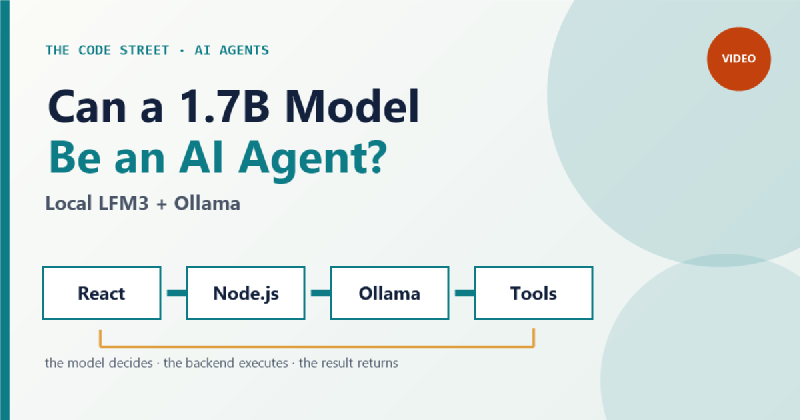
The app has four components:
- React frontend. This is where you talk to the agent and watch what it’s doing.
- Node.js backend. It talks to the model, handles requests and runs the execution loop.
- Ollama. It runs LFM3 locally on your machine.
- JavaScript tools. These are the functions the agent can call: a calculator, a weather lookup, file access and notes.
The key idea is the loop between them. The model decides what should happen, the backend executes the operation, and the result goes back to the model.
Tool Calling: The Model Chooses, Your Code Executes
A language model is good at understanding instructions and generating text. On its own, it can’t check live weather, read a file or run a calculation in your app. Tool calling fills that gap.
You give the model a list of tools. Each tool has a name, a description and a set of parameters. When the model needs a calculation, it replies with a structured request, for example:
|
|
The model is not doing the math. It is asking the application to run the calculator. The backend checks the arguments, calls the real JavaScript function, and gets back 1404. That result goes to LFM3, which turns it into a normal reply.
The model never gets unrestricted access to your computer. It can only request the tools you have registered.
One Request, Several Tools
Calling one tool is useful. The more interesting case is a single instruction that needs several steps:
Check the weather in Mumbai, calculate 18% GST on 7,800 rupees, save a note about the result, and prepare a summary.
The model works through it in order:
- Weather: requests the weather tool for current conditions.
- Calculator: calculates 18% GST, which is 1,404 rupees, for a total of 9,204 rupees.
- Save note: stores the result.
- Summary: writes the final answer from the tool results.
The sequence is not hardcoded in the frontend. The model reads the tool descriptions and decides what to call. The backend keeps the loop going, running tools and returning their results, until the model has a final answer. That loop is what separates an agent from a chatbot.
Watching the Agent Think: Live Events and Metrics
I didn’t want a black box where you send a message and wait. The app streams progress to the frontend with Server-Sent Events (SSE). You can see when the request arrives, when LFM3 starts, which tool it selected, when the JavaScript runs, and what came back. If a tool fails, the error shows up in the same timeline.
The dashboard also records performance:
- Tool execution time, measured around the actual JavaScript function.
- Time to first token (TTFT), how quickly the model starts answering.
- Tokens per second, from Ollama’s response metadata.
These numbers come from the running application, not from a demo.
Safety Is Not Optional
Giving an agent tools means controlling what those tools can do. The app uses several guardrails:
- Allow-list. The model can only call tools registered in the app.
- Argument validation. Arguments must match the tool’s schema before anything runs.
- No
eval, no arbitrary shell. Maths goes through a dedicated expression parser. - File sandbox. File operations stay inside one workspace folder.
- Human approval. Sensitive actions, like deleting a file, pause until a person approves or denies them.
The approval step matters most. An agent should have the minimum permissions it needs, and anything sensitive should stay under human control.
Adding Your Own Tool
Extending the agent means adding a JavaScript function. In the walkthrough I add a roll_dice tool: I register its name, a description, the number of sides as a parameter, and a short implementation that returns a random number from 1 to that count. After restarting the backend, the agent finds the tool in its list. Asking it to “roll a six-sided dice” makes LFM3 pick the tool, supply the argument, and return the JavaScript result.
The model gets a new capability without retraining or changing its architecture. You extend the agent with your own code.
The Real Test
The demo uses one prompt that needs several tools:
Check the weather in Bengaluru, calculate 18% GST on 7,800 rupees, save a note containing the calculation result and today’s date, and prepare a summary.
The agent calls the weather tool, runs the GST calculation, saves the note and then writes a summary. The weather lookup uses an external data source. The model inference runs locally through Ollama.
Performance and Limits
LFM3 is not trying to replace large coding or reasoning models. Here’s what it handles well and where it struggles:
| Strengths | Limits |
|---|---|
| Classification | Complex reasoning |
| Structured extraction | Tasks that need broad world knowledge |
| Simple automation | Occasionally picks the wrong tool |
| Lightweight, focused agents | Sometimes gives invalid arguments |
Tool calling is not perfect every time. That’s why validation, error handling and approval matter. Tool execution and model inference also take very different amounts of time. A calculator finishes almost instantly, while generating a reply takes longer. Watch both.
Takeaways
Can a 1.7-billion-parameter model behave like an agent? Yes, within the right boundaries. It won’t outperform larger models. But you can connect a small local model to your own functions, limit what it can touch, and get real work done.
The pattern in one line:
The model asks for a tool. Your code executes it. The result goes back to the model.
If you want to build something like this, start with one tool, add validation, and only then add more. I’d love to hear what you would build with a local agent. Tell me in the comments on the video.
Thanks for reading, and see you in the next one.