
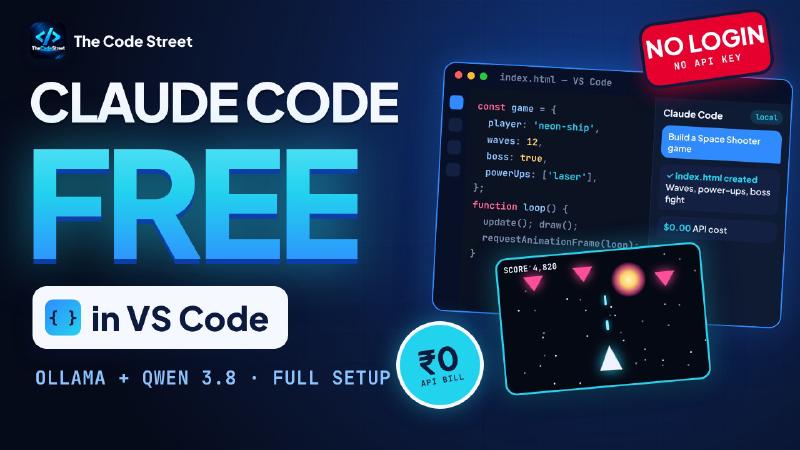
Claude Code is one of the best AI coding tools around. Using it normally means a Claude login, an API key and a bill that grows with every prompt.
In this guide I’ll show you how to run Claude Code completely free, right inside VS Code. There’s no Claude login, no third-party API and no monthly bill. The AI model runs on your own PC through Ollama, using Qwen 3.8.
By the end, we’ll give it a single prompt and it will build a full Space Shooter game, with enemy waves, power-ups and a boss fight.
Prefer the terminal? I covered the command-line version in Claude Code For Free: Local Setup with Ollama + Qwen 3.8.
How It Works
Normally the Claude Code extension sends your prompts to Anthropic’s cloud. Here, we point it at Ollama, which runs on your own machine at localhost:11434 and serves the Qwen 3.8 model.
| Piece | What it does |
|---|---|
| VS Code + Claude Code extension | The editor and the AI coding agent you chat with |
| Ollama | Runs AI models locally and exposes them on port 11434 |
| Qwen 3.8 (27B) | The model that actually writes the code |
Nothing about how you use Claude Code changes. Only where the model runs does.
What You Need
| Requirement | |
|---|---|
| Editor | VS Code (any recent version) |
| Memory | About 32 GB total between RAM and GPU |
| Disk | About 20 GB free (the model is ~18 GB) |
| GPU | Optional, but much faster with one. 24 GB VRAM is ideal |
| OS | Windows, macOS or Linux |
No big GPU? It still works. Ollama splits the model between your GPU and RAM; it’s just slower.
The Plan: Six Steps
- Download Ollama
- Download the Qwen 3.8 model
- Install the Claude Code extension
- Set the environment variables (this skips the login)
- Add
settings.local.jsonto your project - Build a Space Shooter with one prompt
Step 1: Download Ollama
Ollama is what runs AI models on your own computer.
Windows: download the installer from ollama.com and run it.
macOS or Linux:
|
|
Then check the version. You need 0.15 or newer:
|
|
Keep Ollama running in the background. Claude Code talks to it on port 11434.
Step 2: Download the Model
One command:
|
|
It’s about 18 GB, so this is the slow part. When it says success, do a quick test:
|
|
If it answers, the model is working locally.
Step 3: Install the Claude Code Extension
- Open VS Code and press Ctrl + Shift + X (Cmd + Shift + X on a Mac).
- Search for Claude Code.
- Check the publisher is Anthropic, then click Install.
Step 4: Set the Environment Variables
This is the step that skips the Claude login and points the extension at Ollama.
- Press Ctrl + , to open Settings.
- Search for Claude Code: Environment Variables.
- Click Edit in settings.json.
Add these four entries:
|
|
| Variable | What it does |
|---|---|
ANTHROPIC_AUTH_TOKEN |
Required, but Ollama ignores it, so any word works. I use ollama |
ANTHROPIC_API_KEY |
Same idea: a placeholder so the extension doesn’t ask you to sign in |
ANTHROPIC_BASE_URL |
Sends requests to Ollama on your own machine instead of the cloud |
ANTHROPIC_MODEL |
The model to use: your local Qwen 3.8 |
Save the file, then reload VS Code (Ctrl + Shift + P → Developer: Reload Window).
Step 5: Add settings.local.json
The environment variables set up the extension. This file sets up your project, so that every model Claude Code might reach for is your local Qwen.
Create it inside your project folder:
|
|
Paste in:
|
|
The important lines are the ANTHROPIC_DEFAULT_*_MODEL ones. They map every built-in model choice (Opus, Sonnet, Fable and Haiku) to Qwen, and CLAUDE_CODE_SUBAGENT_MODEL does the same for sub-agents. Nothing ever reaches for a paid model.
Tip: the max context here is
65536(64k), so open Ollama’s settings and set its context length to 64k to match. Not sure what that means? See What Is Context Size in Ollama?
settings.local.json is meant for your machine only, so keep it out of Git.
Step 6: Build a Space Shooter with One Prompt
Everything’s ready. Open the Claude Code panel in VS Code and paste this prompt:
|
|
Then let Qwen work. Every bit of it runs on your own PC, with no API calls and no tokens being counted.
The Result
When it finished, I opened index.html in the browser and played it: animated stars, a ship that moves and shoots, waves of enemies, particle explosions, and a boss fight with its own health bar.
The full build and live gameplay are in the video.
Is it as fast or as sharp as paid Claude? No. But for side projects, learning and quick prototypes, getting a complete working game for ₹0 is seriously impressive.
Troubleshooting
Still asks you to log in
Check all four environment variables in Step 4, save settings.json, then reload the VS Code window.
Connection refused
Ollama isn’t running. Start the Ollama app, or run ollama serve in a terminal.
Model not found
Run ollama pull qwen3.8:27b again, and make sure the model name matches exactly in both config files.
Slow, or it forgets your files mid-task
- Set Ollama’s context length to 64k so it matches
CLAUDE_CODE_MAX_CONTEXT_TOKENS. - Close other GPU-heavy apps.
- Check the model fits in your GPU memory. If it spills into RAM, it gets much slower.
FAQ
Is this really free?
Yes. There’s no API bill and no subscription. You only use your own hardware.
Do I need a Claude account?
Not for this setup. The environment variables point the extension at Ollama instead of Anthropic’s servers.
Why set the variables in two places?
The VS Code environment variables configure the extension, which is what skips the login. settings.local.json configures Claude Code for this project, mapping every model option to Qwen.
Can I use a different model?
Yes. Pull any model from the Ollama library and replace qwen3.8:27b with its name in both places. Coding-focused models work best.
Is this the same as the Qwen Code extension?
No. That’s a different extension. If you’re curious, I covered it in How to Use Qwen 3 with VS Code for Free.
Wrapping Up
That’s the whole setup:
- Download Ollama
- Download
qwen3.8:27b - Install the Claude Code extension
- Set four environment variables
- Add
.claude/settings.local.json - Build something
Free Claude Code, right inside your editor. Which game should I build next? Tell me in the video comments.
Happy (free) coding! 🚀