

A channel with just 1,200 subscribers got 231K views on one GTA 6 video, and Claude found it for me in a single chat using real YouTube data from vidIQ. I did the whole thing on a brand-new free Claude account and a brand-new free vidIQ account.
This post covers how to connect vidIQ to Claude step by step, what you can do with it, and what you get on the free plans compared with paid ones.
🎥 Watch the Video
👉 Watch on YouTube: How to Connect vidIQ to Claude
🧠 vidIQ, Claude and Connectors in 30 Seconds
- vidIQ is a YouTube research tool. It shows how many people search a topic, how crowded that topic is, which small channels are getting unusually big views (outliers), and how your own channel is doing.
- Claude is an AI assistant by Anthropic. It’s good at ideas, scripts, titles and planning, but on its own it has no live YouTube numbers.
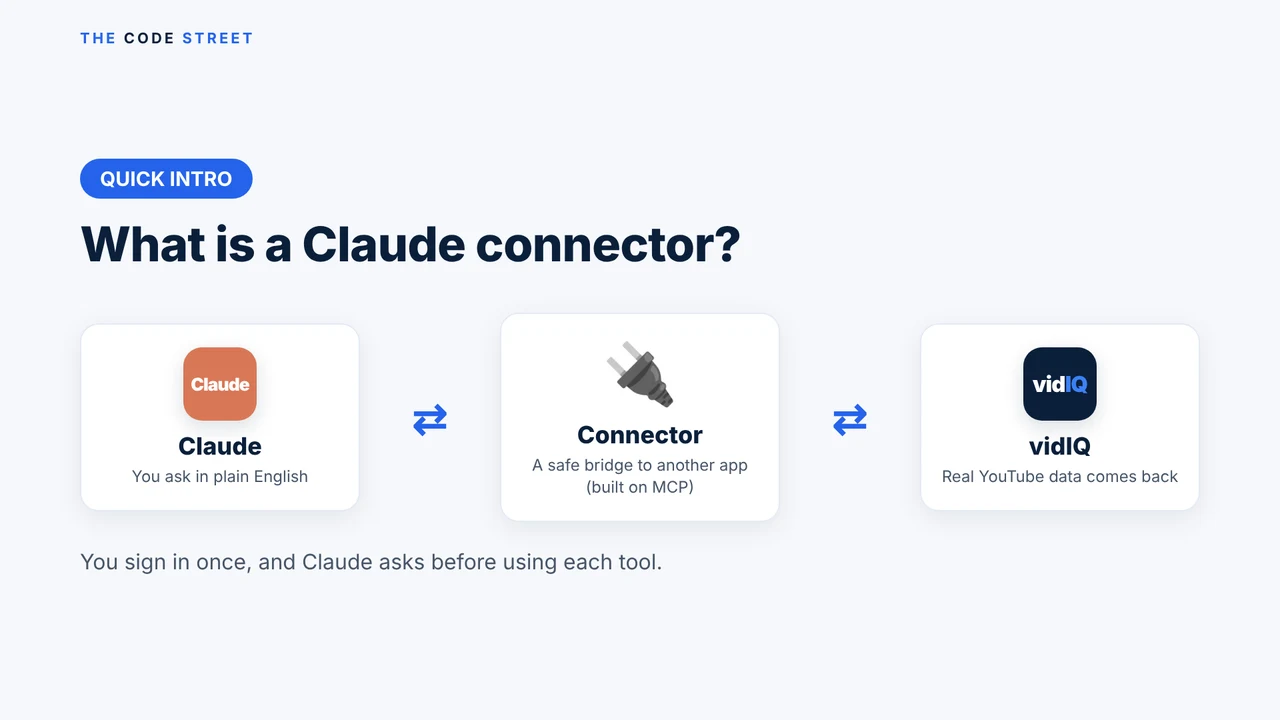
- A connector links Claude to another app. You ask in plain English, Claude uses vidIQ’s tools through the connector, and real data comes back into your chat. You sign in once, and Claude asks before it uses each tool.
⚖️ Why Connect Them?
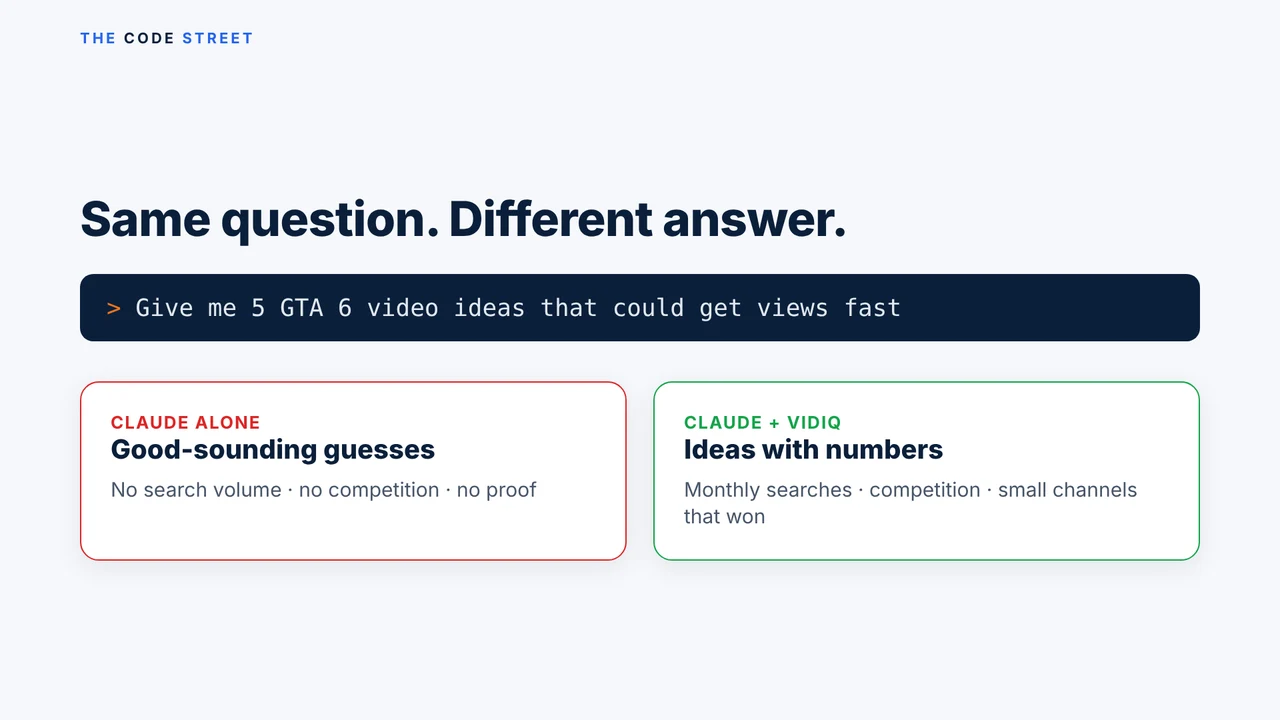
I asked the same question both ways: “Give me 5 GTA 6 video ideas that could get views fast.” Without vidIQ, the ideas sounded reasonable but had no search volume, no competition score and no proof. With vidIQ, every idea came with numbers.
🔌 How to Connect vidIQ to Claude (Free Plan)
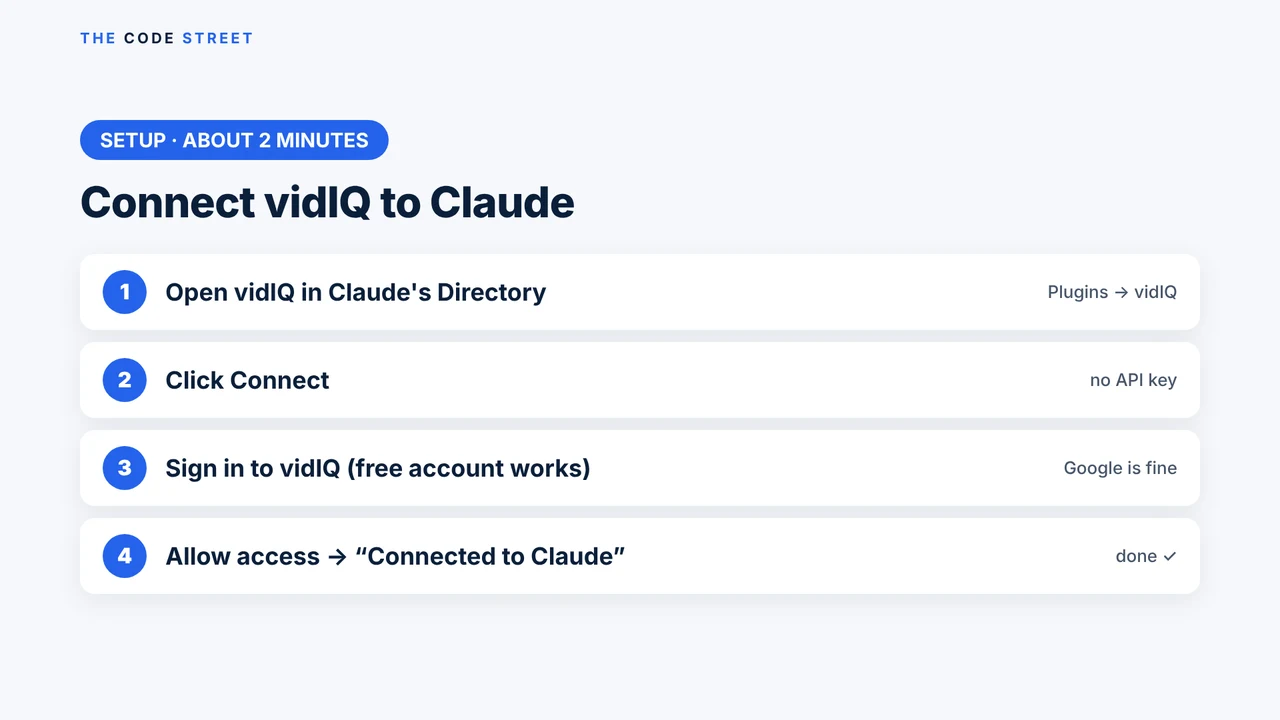
It takes about two minutes, and you don’t need an API key or any code.
- Open vidIQ in Claude’s directory. In Claude, go to Plugins (the connector directory) and search for vidIQ. You can also start from vidIQ’s Claude page.
- Click Connect.
- Sign in to vidIQ. A free vidIQ account is enough. I signed up with Google.
- Allow access. You’ll see “Connected to Claude”, and you’re done.
Tip for free Claude users: the free plan allows only one custom connector, so add vidIQ from the directory listing as shown here. If you’d rather add it as a custom connector, the server URL is https://mcp.vidiq.com/mcp.
💬 Turn It On in a Chat
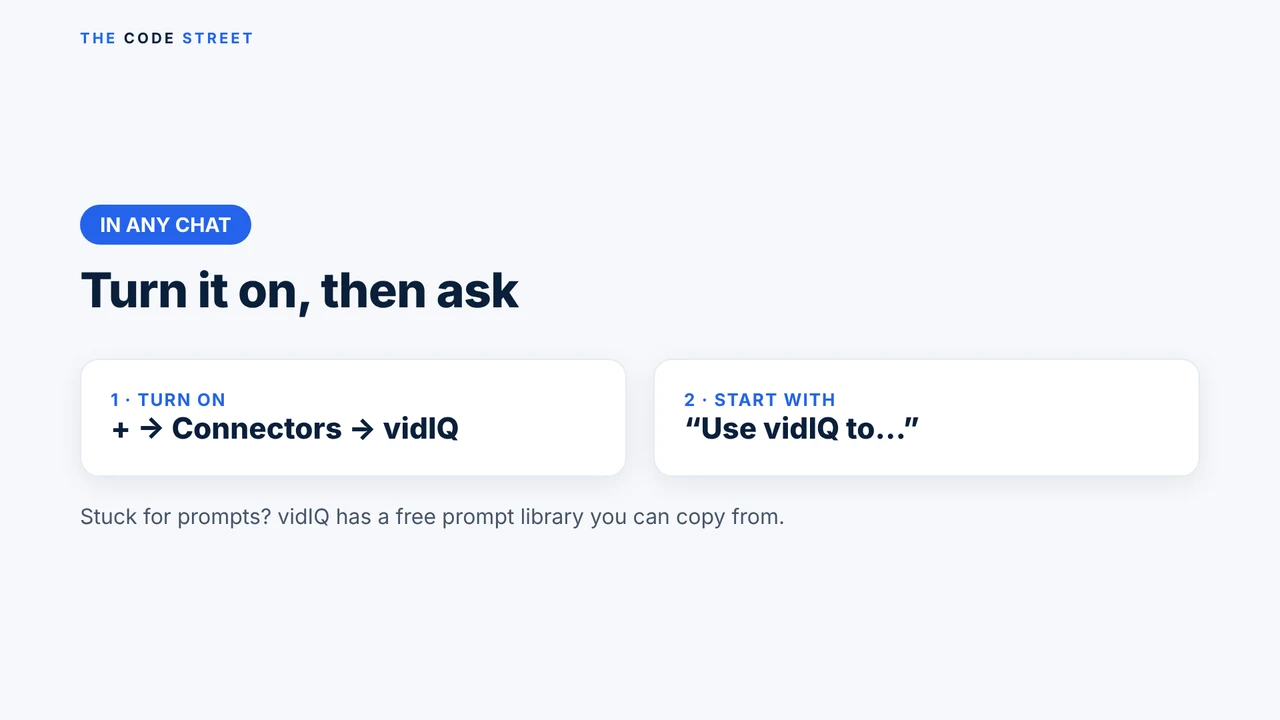
- In any chat, click + → Connectors and make sure vidIQ is on.
- Start your prompt with “Use vidIQ to…” so Claude knows to use real data.
- Not sure what to ask? vidIQ’s Claude page has a free prompt library you can copy from.
The first time Claude uses a vidIQ tool, it asks for permission. You can allow it once or always (more on this below).
📊 What I Did With It
1. A real channel check
I pasted this prompt from vidIQ’s library:
|
|
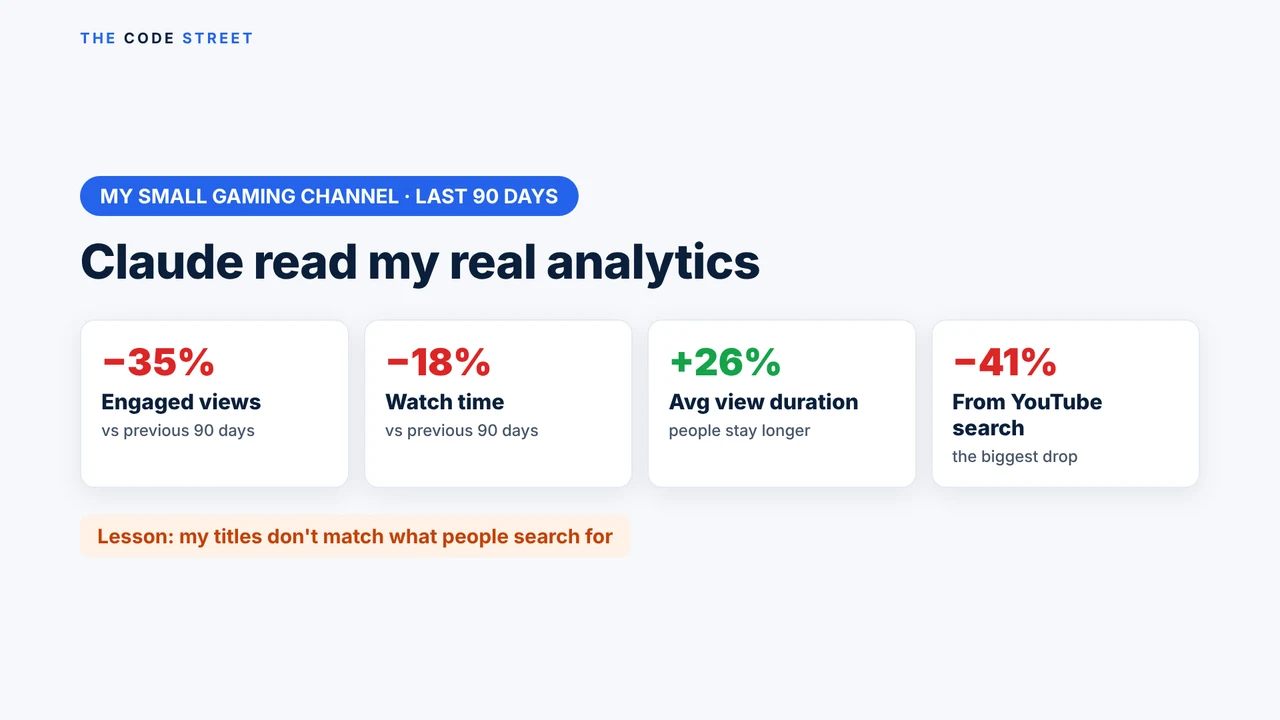
On my small gaming channel, engaged views were down 35% and watch time down 18%. Average view duration went up 26%, but traffic from YouTube search dropped 41%. Claude also noticed that YouTube changed how it counts views in late August, so it compared engaged views instead of raw views. My takeaway was that my titles don’t match what people search for.
2. Video ideas with proof
Then I asked for GTA 6 video ideas. Claude ran vidIQ’s outlier search (small channels with big views) and rising keyword research (what people are searching this week), then gave ideas backed by numbers:
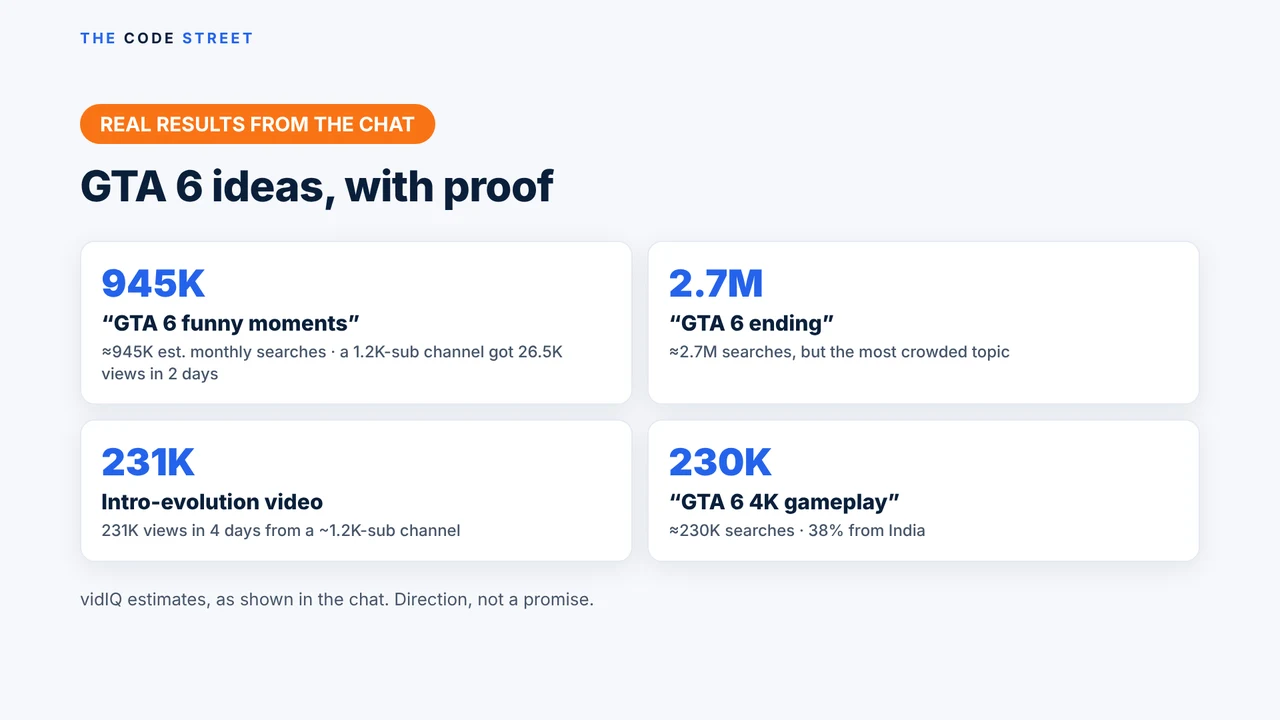
- “GTA 6 funny moments”: about 945K estimated monthly searches, and a 1.2K-subscriber channel got 26.5K views on a crash compilation in two days.
- “GTA 6 ending”: the biggest demand (about 2.7M) but also the most crowded topic.
- GTA intro-evolution video: 231K views in four days from a channel with about 1.2K subscribers.
- “GTA 6 4K gameplay”: about 230K searches, 38% of them from India.
These are vidIQ estimates. Treat them as a direction, not a promise. Claude also caught one search that came back in Hindi and re-ran it in English.
3. Title scoring
Finally, I asked vidIQ to score title options before choosing one. My best title scored 98 out of 100.
|
|
💸 Do You Need to Pay?
Everything above ran on free plans.
vidIQ: Free vs Boost vs MAX
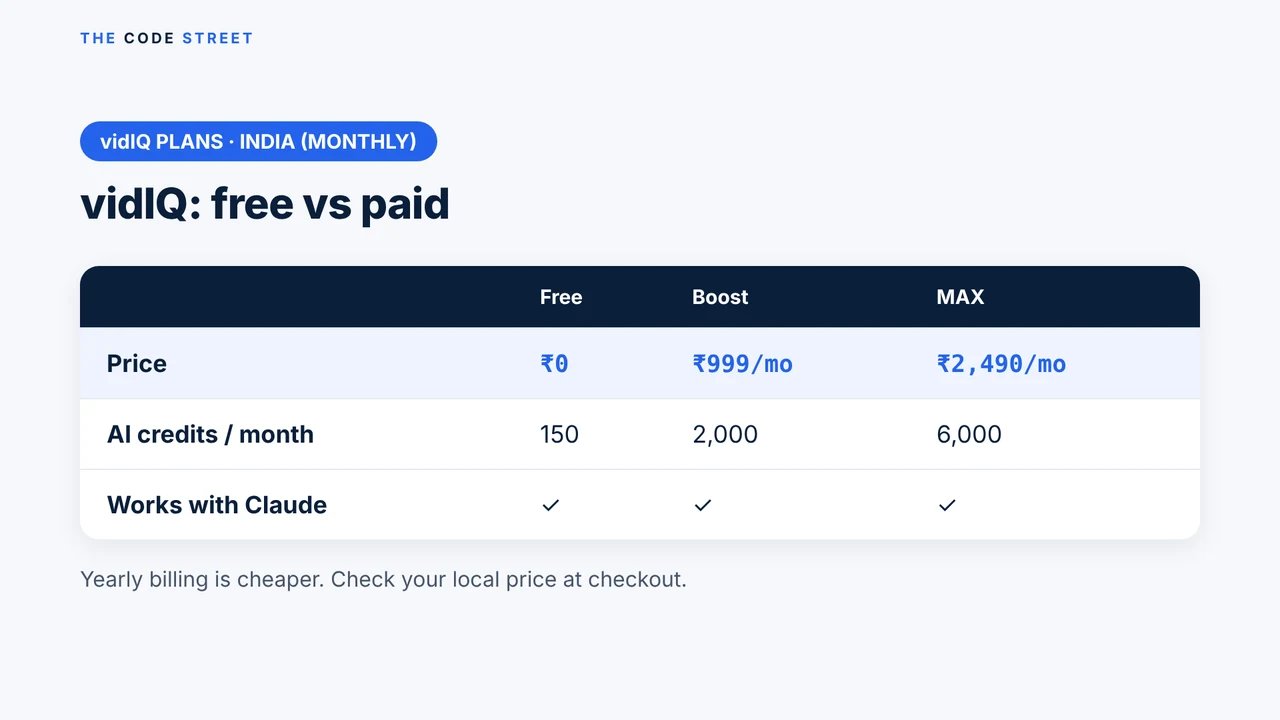
| Plan | Price (India, monthly) | AI credits per month |
|---|---|---|
| Free | ₹0 | 150 |
| Boost | ₹999 | 2,000 |
| MAX | ₹2,490 | 6,000 |
These were the prices on the day I recorded, and yearly billing is cheaper. Check your own price at checkout.
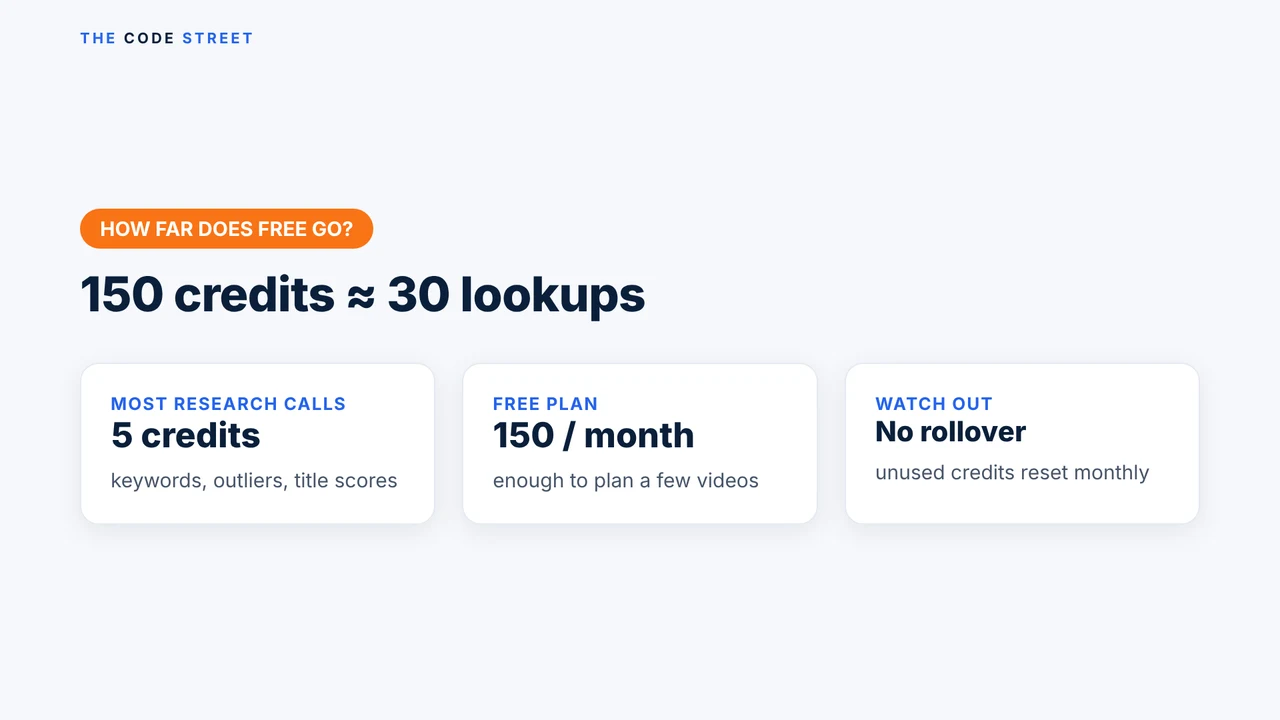
Most research calls cost about 5 credits each, so the free 150 credits come to roughly 30 lookups a month. That’s enough to plan a few videos. Unused credits don’t roll over.
Claude: Free vs Pro
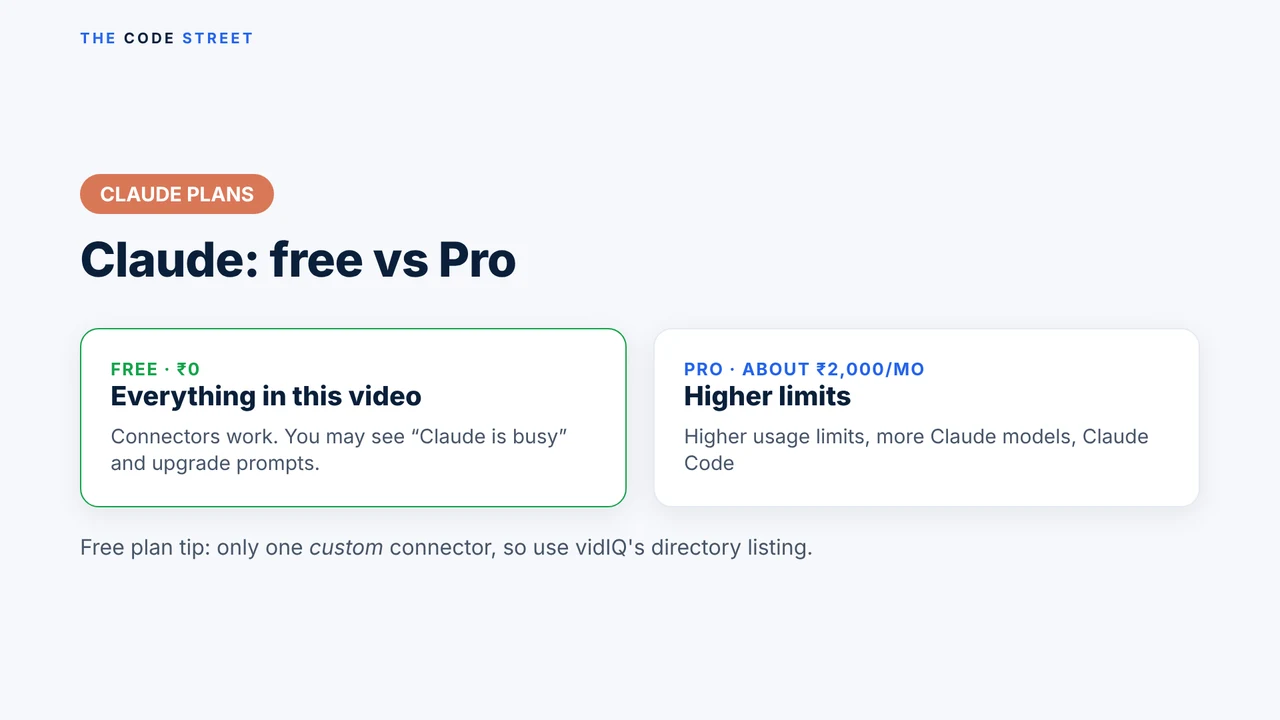
Free Claude handled everything in this guide. You’ll sometimes see “Claude is busy, retrying” and get upgrade prompts. Pro (about ₹2,000 a month in India) adds higher usage limits, more Claude models and Claude Code.
🛡️ Permissions: Stay in Control
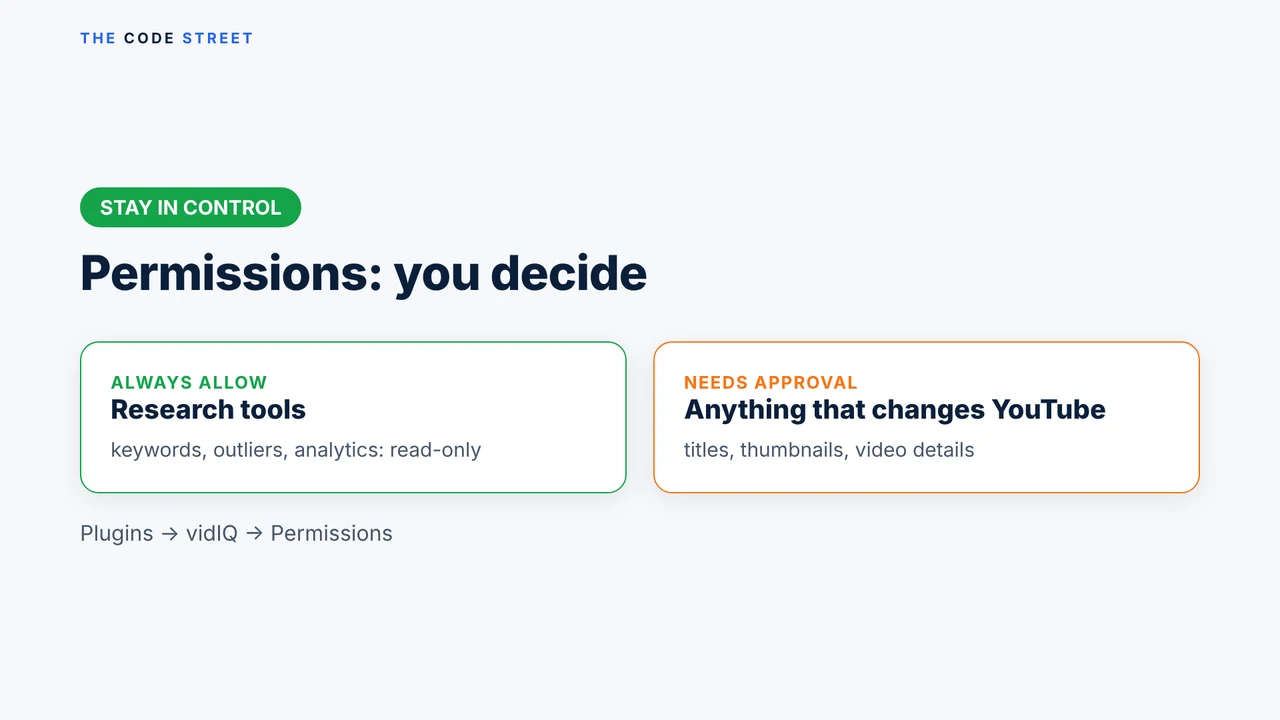
Go to Plugins → vidIQ → Permissions to choose which tools run automatically and which need your approval.
- Always allow: research tools like keywords, outliers and analytics, which only read data.
- Needs approval: anything that can change your YouTube videos, such as titles, thumbnails or video details.
✅ My Advice for New Channels
- Start with free Claude and free vidIQ.
- Find outliers from small channels in your niche.
- Pick searches that are rising but not crowded.
- Upgrade only when you post every week and keep running out of credits.
❓ FAQ
How do I connect vidIQ to Claude?
In Claude, open Plugins, find vidIQ, click Connect, sign in to vidIQ and allow access. Then turn vidIQ on from + → Connectors in a chat and start your prompt with “Use vidIQ to…”.
Can I use vidIQ in Claude for free?
Yes. The vidIQ connector works on the free vidIQ plan (150 AI credits a month) and on a free Claude account. Everything in this guide was done on free plans.
How many credits does vidIQ use in Claude?
Most research calls, such as keyword research, outliers and title scores, cost about 5 credits each. The free plan’s 150 credits come to roughly 30 lookups a month.
Do I need an API key to connect vidIQ to Claude?
No. With the directory listing you just click Connect and sign in. If you add it as a custom connector instead, the server URL is https://mcp.vidiq.com/mcp.
Is it safe to give Claude access to my YouTube channel?
You stay in control. Claude asks before using each tool, and in Plugins → vidIQ → Permissions you can keep anything that changes your videos on “Needs approval” while letting read-only research tools run automatically.
Takeaways
- Connecting vidIQ to Claude takes about two minutes, works on free plans, and needs no API key.
- The real value is proof: every idea comes with search demand, competition and small-channel examples.
- Start free, and upgrade only when you’re posting weekly and running out of credits.
Want free AI agents running on your own PC? Start with my Hermes Agent + Ollama setup on Windows.