
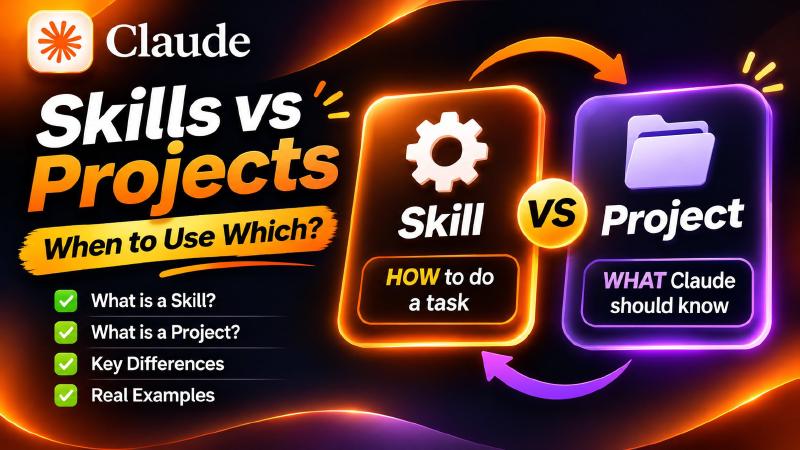
You’ve probably seen people talking about Claude Skills. And you might be thinking: wait, don’t I already have Projects for this?
That’s a fair question. In this post I explain what Claude Skills are, how Claude decides when to use one, and exactly when you should use a Skill instead of a Project. It is the written version of my video, so you can come back to it any time.
🎥 Watch the Video
👉 Watch on YouTube: Claude Skills vs Projects
Quick Reference
| Project | Skill | |
|---|---|---|
| Answers | WHAT Claude should know | HOW Claude should do a task |
| Holds | Files, notes, custom instructions | Step-by-step instructions, optional templates or scripts |
| Tied to | One topic or ongoing piece of work | One kind of job, across any topic |
| Loaded | In every chat inside the Project | Only when your request matches it |
What Are Claude Skills?
A Skill is a set of instructions for one specific kind of job. You write it once, and Claude can use it again whenever that job comes up.
Think of it like a recipe card. The card doesn’t cook the meal for you. It tells the cook exactly what to do, step by step, so the meal comes out the same way every time.
What Goes Inside a Skill
A Skill lives in a folder. The main file in that folder is called SKILL.md, and it has two parts:
- At the top: the Skill’s name and a short description of what it is for.
- Below that: the full instructions.
Some Skills also include extra files, like a template or a script.
Here is what a simple Skill for writing YouTube titles could look like:
|
|
And the SKILL.md file inside it:
|
|
That small block at the top is what matters most for the next part.
How Claude Picks the Right Skill
Claude doesn’t read every Skill you have every time you start a chat. That would be slow, and it would fill up the conversation for no reason.
Instead, it works like this:
- Claude looks at the name and short description of each Skill.
- When your request matches one, Claude opens the full instructions and follows them.
- If nothing matches, Claude just carries on as normal.
Example: you ask “Give me 5 titles for my next video”. Claude scans your Skills, sees that video-titles matches, and only then reads its full rules.
This is why you can keep many Skills ready without cluttering your chats. It is also why the description matters so much. A clear description is how Claude knows when to use your Skill.
What Is a Claude Project?
A Project is a workspace for one ongoing piece of work. It holds your background: your files, your notes and your custom instructions. Every chat inside that Project can see all of it.
The Key Difference: WHAT vs HOW
Here’s the simple way to remember it:
- A Project is about WHAT Claude should know.
- A Skill is about HOW Claude should do a task.
For example, a Project for your YouTube channel might hold your brand guide, your past scripts and notes about your audience. That’s the background.
A Skill for writing video titles might hold your title rules, the three title styles you like and a checklist Claude runs before it finishes. That’s the process.
3 Situations Where a Skill Is the Better Choice
1. You repeat the same process
Maybe every time you ask for a video script, you explain the same structure again: a hook, three main points, a call to action. If you’re typing that out every time, put it in a Skill.
2. The same kind of job comes up in different topics
A Project is tied to one topic. A Skill is tied to one kind of job. So if you write scripts for three different series, one script-writing Skill can help with all three.
3. The instructions are long, but you only need them sometimes
Long rules don’t have to sit in every chat. A Skill loads only when your request calls for it, so your conversations stay clean.
When NOT to Use a Skill
Don’t turn everything into a Skill.
- One topic over many days? If you need all your notes in view while the work goes on, a Project is the right tool.
- Just background information? Facts about your audience or details about a product belong in a Project. They aren’t a step-by-step process.
A good rule: if it’s background, use a Project. If it’s a process you repeat, use a Skill.
The Simple Test
Ask yourself one question:
| Am I explaining the same… | Use |
|---|---|
| steps over and over? | ✅ Skill |
| background over and over? | ✅ Project |
How to Find Your First Custom Skill
The best Claude skills for you are the ones built around your own repeat work. Look back at your last few chats and find the instructions you keep typing again: a review checklist, a script structure, a formatting rule set. That is your first custom Skill.
Takeaways
- A Skill is a recipe card. One kind of job, written once, used again and again.
- Claude only opens a Skill when your request matches its description, so you can keep many ready.
- Project = WHAT, Skill = HOW. Background goes in a Project, repeat processes go in a Skill.
If you like running AI tools on your own machine, I also covered Claude Code For Free in VS Code.
What task do you repeat most with Claude? Tell me in the comments on the video. That one might be your first Skill.
Thanks for reading, and see you in the next one.