
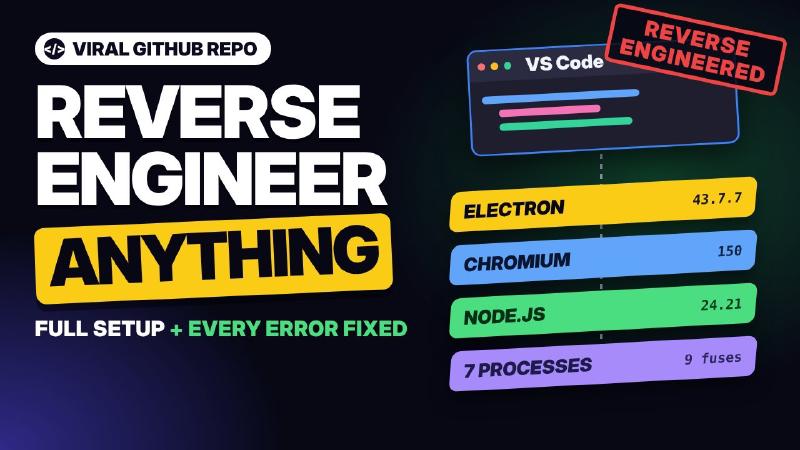
There’s a GitHub repo called REA, Reverse Engineer Anything, and the hype around it is huge. People claim it can clone any software, and its star count has shot into the hundreds of thousands.
So I installed it, pointed it at a real app on my PC, and here’s my honest take: what it actually does, how to set it up (especially on Windows), the errors you’ll hit, and whether it’s worth it.
What REA Promises
REA makes three big promises:
- Inspect almost any software: desktop apps, Android apps, websites and even firmware.
- Explain how a feature works, not just what’s on screen, but what happens behind it.
- No source code needed. It works on apps already installed on your computer.
Why Everyone Is Talking About It
Give an AI a screenshot of an app and it can copy the look: layout, colours, buttons. That’s like judging a restaurant by its menu. You see the dishes, but you have no idea what’s happening in the kitchen.
REA lets the AI walk into the kitchen. It can check what happens when you click a button, where data is stored, which part of the app runs a feature, which servers it talks to, and how all the parts connect.
Separating Hype from Reality
What it really does:
- Finds real evidence inside the app’s files
- Explains that evidence in plain language
- Tells you what it couldn’t figure out (my favourite part)
What it doesn’t do:
- There’s no magic “clone this app” button. Your AI assistant still has to build and test things.
- Heavily locked-down apps need extra tools and may still leave open questions.
Open, web-based apps reveal a lot. Heavily protected apps reveal much less.
How It Works: A Detective Story
Four pieces work together:
| Piece | Role | In REA |
|---|---|---|
| Investigator | Understands your question, decides what to look at | Your AI agent (Claude Code, Codex…) |
| Playbook | Training manual: what to check, how to follow clues, how to record doubts | The REA skill |
| Connection | Lets the agent call outside tools | The MCP server |
| Scanners | The actual analysis tools; REA picks the right one for each app | 200+ REA analysis tools |
The workflow is five steps: pick an app (or one feature), let REA inspect the installed files, collect evidence with proof for every finding, decide what to do with what you learned, then build and compare.
Confidence Labels
This is what makes REA different from an AI confidently guessing. Every finding is labelled:
- Observed: seen directly in the app’s files
- Derived: worked out from what it saw (2 + 2 = 4)
- Inferred: a reasoned guess, and clearly marked as one
- Unknown: couldn’t determine it, flagged for you to test
In my test, when REA checked VS Code’s security switches, it marked the result observed and attached the file’s fingerprint as proof.
Setup
You need Node.js 22.19 or newer. Check with:
|
|
Option A: Let Your Agent Install It
Copy the REA GitHub link into Claude Code and say “install this for me”. If anything fails, talk it through with the agent step by step.
Option B: The Setup Wizard
|
|
The wizard asks which AI agent you use and connects REA to it.
The Windows Catch
On Windows, the wizard doesn’t update Claude Code’s settings for you, so you register REA yourself. These are the steps that worked for me:
|
|
Then fully restart Claude Code and run /mcp to confirm REA is listed and connected.
The Real Test: What’s Inside VS Code?
Instead of a toy demo, I pointed REA at an app most of us use every day: VS Code. I opened Claude Code, pasted my prompt (it’s in the video description), approved the tool calls carefully, and waited. Here’s what came back.
What VS Code is made of. It’s built on Electron, a kit for building desktop apps with web technology. Inside is Chromium (the engine behind Chrome) plus Node.js, all packed into one large executable that’s officially signed by Microsoft. The giveaway is its internal name: electron.exe. VS Code is essentially a website running in its own private Chrome window.
Electron fuses. Electron apps have “fuses”, like the child lock on a car’s back door: set at the factory and hard to change later. REA showed which are on (for example, the one that lets code.exe act as a plain Node.js program, needed for the CLI and background helpers) and which are off. VS Code relies on its own checksum verification instead. These are design choices, not bugs, but it’s why security researchers love studying Electron apps.
Who VS Code talks to. Think of it as checking your phone’s call log: Microsoft’s update server (where “Restart to update” comes from), the extension marketplace, a GitHub-hosted gallery of MCP servers, A/B testing services, a Bing-backed settings search, and download servers for AI agents.
VS Code is a team, not one program. Like a restaurant kitchen:
- The main process is the manager that starts everyone else.
- The workbench window is the dining area, everything you see.
- The shared process handles paperwork like installing extensions.
- The extension host is a separate station where extensions run.
- The PTY host runs your terminals, and a file watcher notices file changes.
- A newer agent host runs AI agent sessions.
That explains something you’ve probably noticed: when one extension hangs, VS Code itself doesn’t freeze.
Errors I Hit and How to Fix Them
| Error | Fix |
|---|---|
claude is not recognized as an internal or external command |
Add Claude Code’s bin folder to your PATH |
MCP server rea already exists in user config |
Nothing to fix. Just restart Claude Code |
/mcp doesn’t list REA |
Claude Code wasn’t fully restarted, or you’re in a different session. Close it completely and reopen it on the same PC |
| “Provider unavailable” | REA is missing a provider for native .exe analysis. Install Ghidra and Java, then run rea doctor |
| REA won’t install | Your Node.js is too old. Install the latest Node LTS |
| Android analysis fails | Install the full Java JDK; the JRE isn’t enough |
| A tool asks for Python pwntools | Only one tool needs it, so you can skip it |
| Saved report is missing results | Run the analysis and the export in the same Claude Code session |
Security tip: Only install REA from the official repo. Copycat repos are a common phishing trick.
If you remember one thing, make it rea doctor. It’s like a mechanic plugging a scanner into your car before touching anything: it changes nothing and tells you exactly what’s missing.
Verdict: Is REA Worth the Hype?
For understanding apps: yes. What used to take hours of clicking around tools like Ghidra took me minutes, explained in plain English. I learned more about VS Code’s internals in one session than I knew before.
But it’s not a magic clone button. Building something good with what you learn is still your job. Always check findings marked inferred or unknown before you trust them.
How I’ll Actually Use It
- Checking my own release builds: open my own APK and see what really ships, like leftover debug settings, keys or forgotten servers. A free security check before every release.
- Learning before building: study how a well-made open-source app implements a feature.
- Auditing the tools I install: see exactly which servers they talk to, like we did with VS Code.
REA won’t build an app for you in one click, but it gives your AI agent eyes inside any app, and it’s honest about what it doesn’t know.